Integrating YouTube with BlackHole (Best 2026)
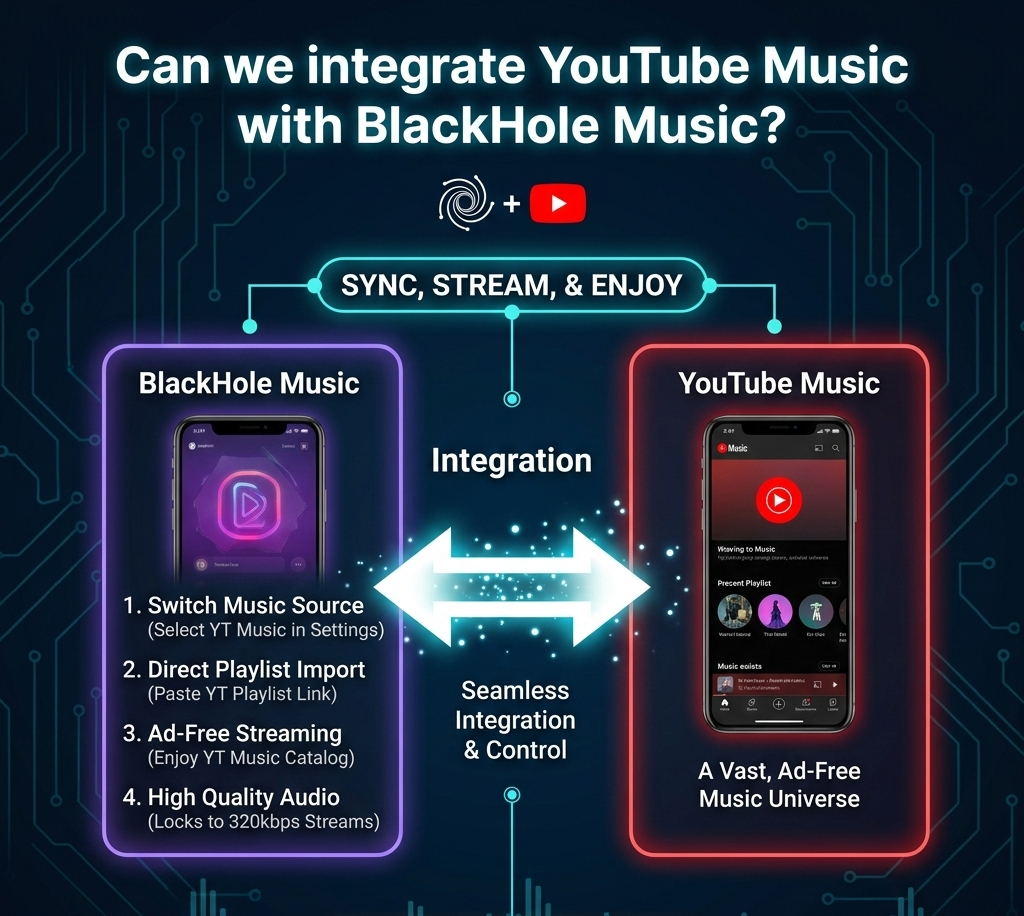
Yes, you absolutely can! Indeed, among the largest causes that made people use BlackHole Music, there is the full library possibality of YouTube ,ad-free, with it being the wrapper around it.
We are in 2026 so the integration is even more seamless. Here is exactly how to do it:
| Feature | YouTube Music App | BlackHole (Integrated) |
| Ads | Yes (unless Premium) | No (Built-in Adblock) |
| Downloads | Requires Subscription | Free (High Quality with Tags) |
| Background Play | Requires Subscription | Always Enabled |
| Audio Quality | Variable | Locked at 320kbps |
Switch the Music Source
There are several APIs used in BlackHole. It can be defaulted to JioSaavn or Spotify. To use YouTube Music:
Open settings of the BlackHole app
Go to Music & Playback.
And a tip: you can also enable YouTube Search Suggestions ensuring that when typing, it suggests the search results which are real-time and taken out of the YT Music database.
Import Your Playlists
BlackHole enables you to add your public or unlisted playlists on YouTube Music:
Open YouTube Music application/webpage and paste the playlist link.
In BlackHole, the Library tab is found.
Paste the link and tap Import. The application will subsequently make a handshake with the servers of YouTube to retrieve the tracks.
Native Sync (Newer Versions)
In version v1.15.6 or subsequent, it may be possible to find a “Search Mode toggle on the primary search bar. It is possible to switch to Spotify, YouTube, and YT music.
- YT Music Mode: Streams audio of better quality (AAC) rather than video audio.
- YouTube Mode: This is handy when you would like to find live performances, remixes or cover songs not available officially on YouTube Music.
Detailed comparison between BlackHole Music, ViMusic, and the official YouTube Music app
| Feature | BlackHole Music | ViMusic | YouTube Music |
| Ads | 🚫 Ad-Free | 🚫 Ad-Free | 📺 Intrusive (Free Tier) |
| Audio Quality | 🎧 Up to 320kbps | 📻 Variable (Standard) | 📻 128kbps – 256kbps |
| Background Play | ✅ Included | ✅ Included | 🔒 Paid Premium Only |
| Downloads | 💾 Permanent (ID3 Tags) | 💨 Cache-only (Temporary) | 🔒 Paid Premium Only |
| Offline Mode | ✅ Full Library Support | ⚠️ Only played songs | ✅ Premium Only |
| Spotify Sync | ✅ Native Playlist Import | ❌ Not Supported | ❌ Not Supported |
| Platform | Android, iOS, macOS, Win | Android Only | Web, iOS, Android |
| File Size | 📦 ~30MB | 🍃 ~3MB | 📦 ~60MB |
| Lyrics | ✅ Synced (Timed) | ✅ Basic Metadata | ✅ Standard |
| Home Screen | 🌍 Global/Local Charts | 🔍 Search-focused | 🤖 AI-driven recommendations |
Connection Expiry” bugs that occasionally occur when watching YouTube on BlackHole?
One of the most frequent problems that come with YouTube streaming is called Link Expiry. In essence, a random key is produced by YouTube on each song. In case you stop a song too much or play an old search result, this key will run out, and the music will not play.
Use the “Refresh” Gesture
The Fix: Tap the album art or swipe down on the screen which is showing the “Now Playing” so as to reload the metadata. This causes BlackHole to request new connection to the servers of YouTube.
VPN Method
At other times a “Link Expiry” is in fact a Geo-Block masquerading as one. BlackHole has a main API that is usually customized towards the Indian area
- The Solution: When no songs by particular artists are playing, then a VPN to India should be used.
- Pro-Tip: You can also find a setting in the app that allows you to search for the “Proxy Support” tool which allows only the music traffic to go through an Indian server without having to use a full VPN.
Switch Search Modes
In case of a certain song link failure:
Click on the search engine and change the mode into YouTube (Standard).
- Why it works: Sometimes the high-quality stream of the YT Music has more stringent security tokens than the regular video-audio stream. Half a dozen modes will provide you with a cleaner link.
Permanent Fix
The most optimal solution to avoiding any dealings with the Link Expiry is to employ the Song Caching feature that we mentioned above.
When a song has been Cached (stored in temporary storage), BlackHole no longer requires the YouTube to provide them with a link, it simply opens the file and starts playing through your phone.
Strategic Recommendation
- The Use BlackHole Strategy: The Media Collector. Select BlackHole in case you desire a complete replacement of Spotify. Users who commute (e.g. on a subway or by airplane) have no problem since at least its permanent downloads will keep the music on your phone even after you delete the application, or when you have no connection.
- The Minimalist Streamer (Use ViMusic) Strategy: Use ViMusic in case you desire the most rapid speed. It fits well with the users of low-budget phones or those with limited storage. It serves as a sort of skin on YouTube Music that provides you with the whole collection without the cumbersomeness of an ordinary app.